AI video editing
Edit videos faster with MaxPilot
Upload projects, refine with AI, work from the transcript, and export with confidence.
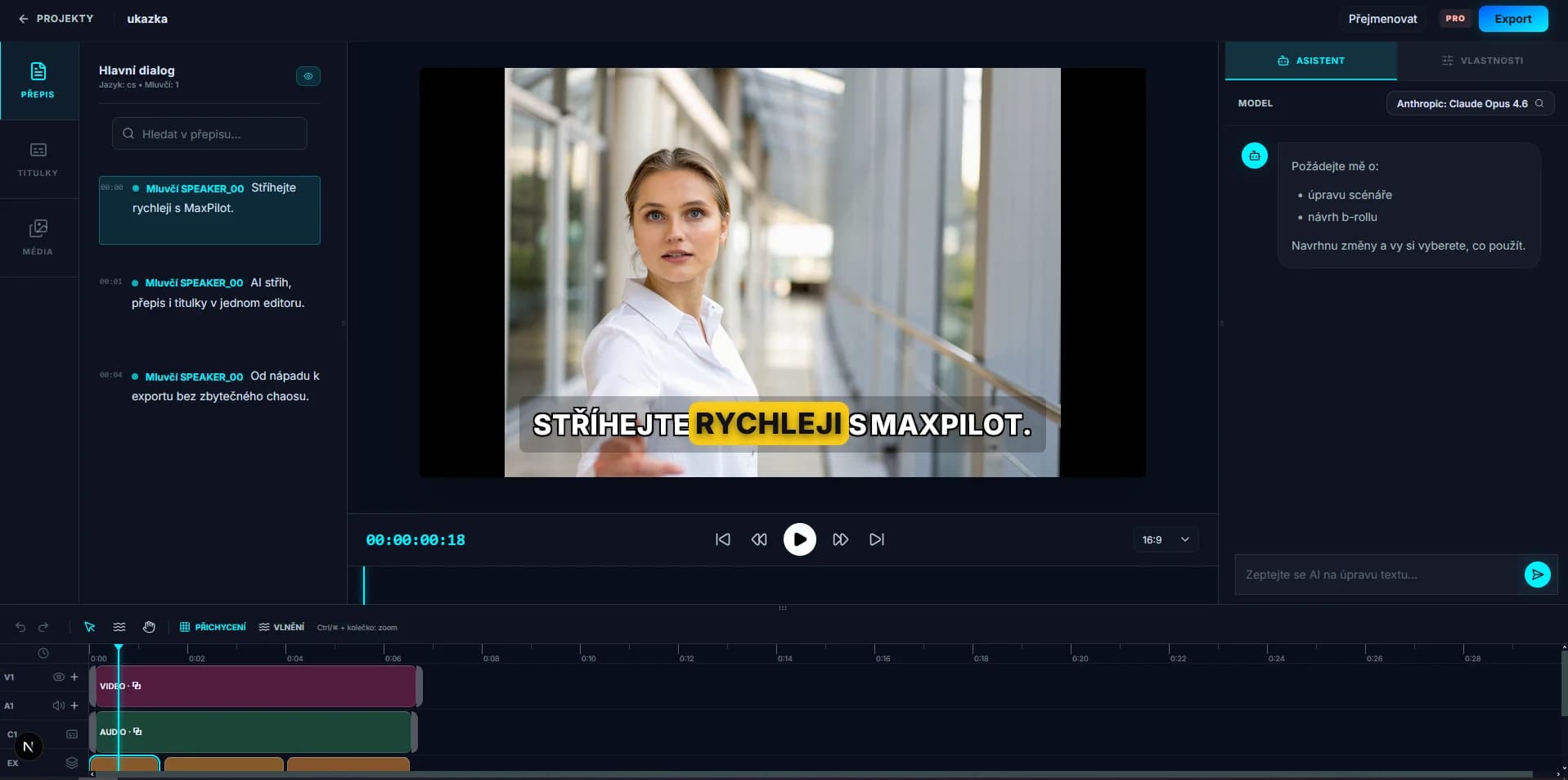
Features
AI-assisted editing
Trim, arrange, and refine your timeline with tools built for modern workflows.
Transcript & captions
Edit from speech, sync captions to preview, and keep your story accurate.
Export & usage
Clear limits on rendered minutes and plans that scale with your output.
How it works
From raw footage to published video in minutes
A simple workflow for creators, teams, and marketers who need consistent output every week.
01
Upload your footage
Drop in source files and organize your project before editing.
02
Edit with AI and transcript
Trim from text, clean pacing, and quickly find the parts that matter.
03
Polish captions and timing
Preview captions in context and fix wording, style, and sync.
04
Export with clear limits
Render your final cut with transparent usage so planning is predictable.
FAQ
Common questions before you start
Usage is measured from successful exports. We count final output duration, so longer videos consume more minutes.
No. Minutes are intended for completed output, so failed and canceled runs are excluded.
Each user-facing AI action counts toward your monthly allowance according to your plan.
Yes. MaxPilot is built for transcript-first editing and caption refinement in preview.
Your source files and project output remain yours. Terms and privacy details are available in the legal links.
Yes. You can move between plans as your output volume changes.
Ready to ship your next video faster?
Start with MaxPilot now, then scale your minutes and AI usage as your publishing cadence grows.